Streamline Your Creative Workflow with a Communication Log
For creators navigating the bustling world of self-publishing, organization is the silent engine of productivity. Amidst designing, marketing, and managing projects, a single, overlooked detail can delay a launch or frustrate a client. This is where the practical power of a dedicated Communication Log - KDP Interior comes into play. It's more than just a template; it's a structured workspace designed to bring clarity and order to the collaborative and administrative aspects of your publishing journey.
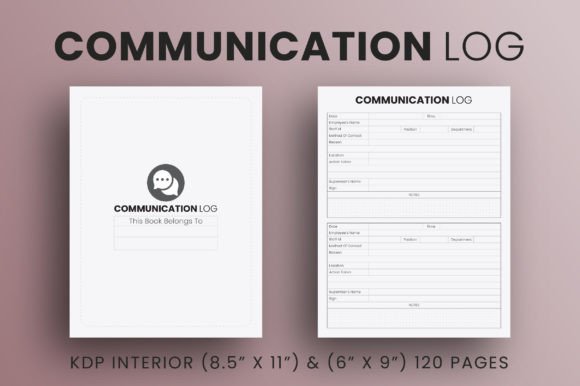
At its core, this log provides a clean, professional framework to record, track, and action every conversation, instruction, and idea related to a project. Think of it as the centralized hub for all project communication—emails with a formatter, notes from a beta reader, feedback from a client, or your own internal to-do list. By having a designated space for this information, you move from a scattered collection of emails and sticky notes to a single, authoritative document. This transition is crucial for maintaining consistency, ensuring nothing is forgotten, and presenting a polished, professional approach to collaborators or clients.
Beyond KDP: A Multifunctional Tool for Diverse Creators
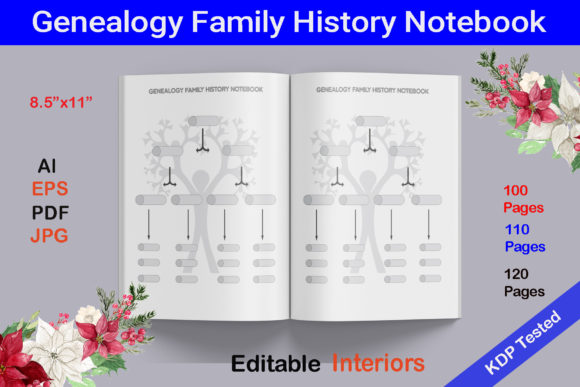
While designed with the specific dimensions and print-ready standards for platforms like Amazon KDP—including both 8.5 x 11 and 6 x 9 inch sizes, 120 pages, bleed, and high-resolution 300dpi PDFs—its utility extends far beyond book interiors. The included editable source file means it’s a starting point, not a rigid product. You can adapt its clean layout for an astonishing array of applications.
For the freelance designer or marketer, this template can transform into a client project tracker. Each page becomes a record of client requests, revision notes, and deadline agreements. For educators or workshop leaders, it could be repurposed as a training session log, documenting participant questions, key takeaways, and follow-up actions. Small business owners might use it to log customer feedback, supplier communications, or internal team meetings related to a product launch. The simple, title-page-included structure is inherently flexible, waiting for your interpretation.
Adapting the Template to Your Specific Goals
The key to maximizing this resource is to think about your primary pain point. What communication stream in your workflow feels most chaotic? Begin by adapting the log to solve that.
- For Collaborative Projects: Label sections for each collaborator—illustrator, editor, proofreader. Use it to log their feedback, your responses, and the status of each delivered item. This creates a clear, shared record that prevents misunderstandings.
- For Solo Creators Managing Multiple Projects: Use a separate log for each book, product, or client. The consistent format across all your projects makes it easy to switch contexts without losing your organizational mindset.
- For Tracking Creative Ideas: While it's a log for external communication, don't overlook its internal use. Dedicate pages to logging your own brainstorming sessions, ideas for future covers, or marketing copy variations. Keeping this alongside project communications connects creative inspiration with practical execution.
Remember, the editable file allows you to change column headers, add checkboxes, or modify the layout to suit your exact need. Perhaps you need a space to note the date, the contact person, the key point, and the next action. That’s a simple adjustment that turns a generic template into a personalized powerhouse.
Ensuring Effectiveness and Professionalism
A tool is only as good as its use. To keep your communication log effective, adopt a few straightforward habits. First, update it immediately after a relevant conversation or email. This real-time logging is what prevents details from fading. Second, review it regularly—perhaps at the start of each work session—to action any pending items. Third, use clear, concise language in your entries. This log is a reference document; avoid vague notes that you won’t understand weeks later.
This discipline not only streamlines your workflow but also elevates your professional presence. Providing a client or collaborator with a clear, organized summary of discussions based on your log demonstrates reliability and attention to detail. It turns communication from a potential source of friction into a pillar of your project management.
From Log to Launch: A Practical Example
Imagine you’re using the Communication Log - KDP Interior for a new poetry collection. Your log might start with the initial brief from the poet. As the project moves forward, you add entries for your email exchange with the typographer about font choices, notes from a test print review, and the final instructions for PDF upload to KDP. Each entry has a date, a summary, and a clear action item ("Confirm font license," "Adjust margins on pages 10-15," "Upload final PDF by Friday"). When the poet asks for an update, you have a comprehensive, chronological record to share, not a fragmented email search. This systematic approach reduces stress and builds trust.
Inspiring Sustainable Creative Habits
Ultimately, tools like this support not just a single project, but the cultivation of sustainable creative habits. By externalizing the administrative load into a structured log, you free up mental space for the actual creative work—the design, the writing, the strategic thinking. It encourages a mindset where organization serves creativity, not stifles it.
Whether you are a blogger coordinating with guest writers, an entrepreneur managing product feedback, or a hobbyist turning a passion project into a printed book, the principle is the same: clarity in process enables freedom in creation. This communication log template offers a ready-made path to that clarity. Your next step is to open the editable file, consider your current project's biggest communication challenge, and adapt this clean, professional design into the organizational companion that your creative workflow deserves.